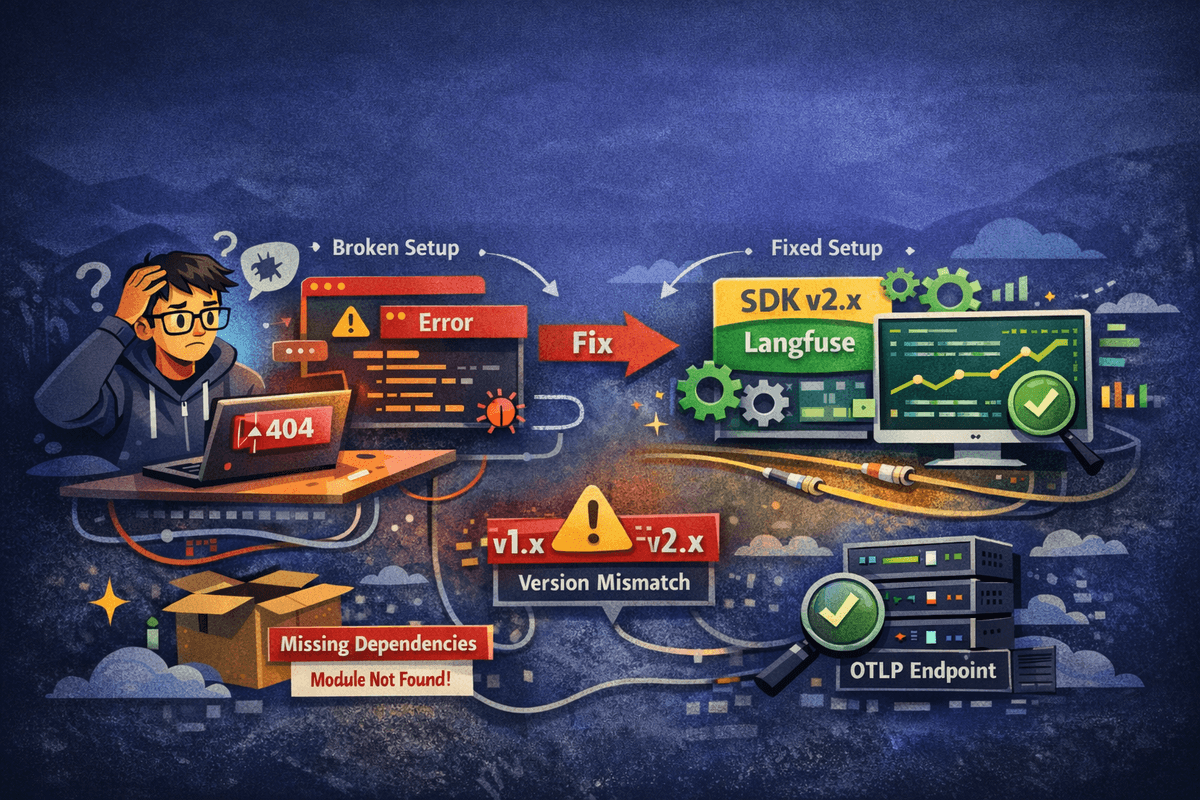
I spent days debugging why traces were being generated locally (visible in console logs) but not appearing in the Langfuse dashboard. The issue wasn't obvious—no errors in logs, flush operations completing successfully, but traces simply never reached Langfuse. This guide documents the root causes, solutions, and key learnings from fixing a Langfuse OpenTelemetry integration in a production medical simulation platform.
The Problem: Traces Generated But Not Visible
The symptoms were frustrating: traces were visible in console output with correct structure, flush operations were completing successfully, and there were no errors in server logs. However, traces weren't appearing in the Langfuse dashboard, and trace fetch scripts were returning 404 errors. This meant we couldn't monitor LLM operations, debug issues, or track performance metrics—critical functionality for a medical simulation platform.
Root Cause #1: Incorrect OpenTelemetry SDK Setup
The first major issue was using outdated OpenTelemetry SDK v1.x packages with incompatible configuration. We were using @opentelemetry/sdk-trace-base@^1.27.0 and @opentelemetry/sdk-trace-node@^1.27.0, but @langfuse/otel requires OpenTelemetry SDK v2.x packages.
This version mismatch caused multiple problems: API incompatibilities between v1.x and v2.x, changes to NodeTracerProvider API in v2.x, different span processor registration methods, and internal span structure expectations that changed between versions.
// Before (v1.x - incompatible)
{
  "@opentelemetry/sdk-trace-base": "^1.27.0",
  "@opentelemetry/sdk-trace-node": "^1.27.0",
  "@opentelemetry/exporter-trace-otlp-http": "^0.211.0"
}

// After (v2.x - compatible)
{
  "@opentelemetry/sdk-trace-base": "^2.2.0",
  "@opentelemetry/sdk-trace-node": "^2.2.0",
  "@opentelemetry/core": "^2.2.0",
  "@opentelemetry/sdk-node": "^0.208.0",
  "@opentelemetry/semantic-conventions": "^1.38.0"
}
Root Cause #2: Wrong Integration Approach
Instead of using the official LangfuseSpanProcessor, we attempted to manually configure OTLPTraceExporter with a custom wrapper. This approach seemed logical at first—we wanted to add logging and custom headers for authentication. However, this caused critical issues.
The custom wrapper corrupted the span structure before OTLP transformation. The OTLP transformer expected a specific span format, but our wrapper modified spans in ways that broke the transformation process. This resulted in a TypeError: 'Cannot read properties of undefined (reading 'name')' during span conversion. The worst part? These export failures occurred silently without clear errors in application logs.
// Before: Manual OTLP exporter with custom wrapper (BROKEN)
const exporter = new OTLPTraceExporter({
  url: traceUrl,
  headers: { "Authorization": `Basic ${authString}` },
});
const batchProcessor = new BatchSpanProcessor(exporter, {...});
provider.addSpanProcessor(batchProcessor);

// After: Official LangfuseSpanProcessor (WORKING)
const langfuseProcessor = new LangfuseSpanProcessor({
  publicKey: langfusePublicKey,
  secretKey: langfuseSecretKey,
  baseUrl: langfuseBaseUrl,
  environment: process.env.NODE_ENV || 'development',
});
spanProcessors.push(langfuseProcessor);
Root Cause #3: Missing Peer Dependencies
@langfuse/otel requires @opentelemetry/exporter-trace-otlp-http as a peer dependency. We initially removed this package thinking it wasn't needed since we weren't using it directly. This caused module resolution errors: 'Error: Cannot find module @opentelemetry/exporter-trace-otlp-http'.
Even though LangfuseSpanProcessor handles OTLP export internally, it still needs this package as a peer dependency. The application failed to start after removing it.
Root Cause #4: Using NodeTracerProvider Instead of NodeSDK
We were using the outdated NodeTracerProvider initialization approach, which is incompatible with OpenTelemetry v2.x. The NodeTracerProvider.addSpanProcessor() API changed in v2.x, causing 'TypeError: provider.addSpanProcessor is not a function' errors.
NodeSDK is the recommended approach in OpenTelemetry v2.x because it provides automatic context management, better resource handling, proper integration with LangfuseSpanProcessor, and simplified configuration.
// Before: NodeTracerProvider (v1.x approach)
const provider = new NodeTracerProvider({...});
provider.addSpanProcessor(batchProcessor);
provider.register({ contextManager: new AsyncLocalStorageContextManager() });

// After: NodeSDK (v2.x recommended)
const sdk = new NodeSDK({
  resource,
  spanProcessors,
});
sdk.start();
The Solution: Complete Migration to Official Integration
The solution involved switching to the official LangfuseSpanProcessor integration with OpenTelemetry SDK v2.x. Here's what changed:
- Switched to LangfuseSpanProcessor - handles OTLP export internally with proper span transformation, built-in error handling, retry logic, and automatic authentication
- Upgraded to OpenTelemetry SDK v2.x - required for @langfuse/otel compatibility
- Switched from NodeTracerProvider to NodeSDK - recommended approach in v2.x with automatic context management
- Added missing peer dependency - restored @opentelemetry/exporter-trace-otlp-http@^0.208.0
- Improved trace naming - simplified to use prompt type directly (e.g., 'PICU-Trainer' instead of 'engine.streamChat - PICU-Trainer')
- Optimized export timing - reduced flush delay from 2000ms to 500ms for faster trace appearance
Final Configuration
Here's the complete working configuration:
import { NodeSDK } from '@opentelemetry/sdk-node';
import { LangfuseSpanProcessor } from '@langfuse/otel';
import { Resource } from '@opentelemetry/resources';
import { SemanticResourceAttributes } from '@opentelemetry/semantic-conventions';

const resource = new Resource({
  [SemanticResourceAttributes.SERVICE_NAME]: 'simxr-backend',
});

const langfuseProcessor = new LangfuseSpanProcessor({
  publicKey: process.env.LANGFUSE_PUBLIC_KEY!,
  secretKey: process.env.LANGFUSE_SECRET_KEY!,
  baseUrl: process.env.LANGFUSE_BASE_URL || 'https://cloud.langfuse.com',
  environment: process.env.NODE_ENV || 'development',
});

const sdk = new NodeSDK({
  resource,
  spanProcessors: [langfuseProcessor],
});

sdk.start();
Required Dependencies
Make sure your package.json includes these dependencies:
{
  "dependencies": {
    "@langfuse/otel": "^4.4.9",
    "@opentelemetry/api": "^1.9.0",
    "@opentelemetry/context-async-hooks": "^1.27.0",
    "@opentelemetry/core": "^2.2.0",
    "@opentelemetry/exporter-trace-otlp-http": "^0.208.0",
    "@opentelemetry/resources": "^1.27.0",
    "@opentelemetry/sdk-node": "^0.208.0",
    "@opentelemetry/sdk-trace-base": "^2.2.0",
    "@opentelemetry/sdk-trace-node": "^2.2.0",
    "@opentelemetry/semantic-conventions": "^1.38.0"
  }
}
Understanding the Flow
Here's how the flow changed:
Before (Broken Flow):
- Span created → NodeTracerProvider (v1.x)
- Span processed → Custom exporter wrapper (corrupted span structure)
- Span transformed → OTLP transformer (failed: TypeError)
- Export attempt → Failed silently
- Result: Traces never reached Langfuse ❌
After (Working Flow):
- Span created → NodeSDK (v2.x)
- Span processed → LangfuseSpanProcessor (proper handling)
- Span transformed → Internal OTLP transformer (works correctly)
- Export → Successfully sent to Langfuse OTLP endpoint
- Result: Traces appear in Langfuse dashboard ✅
Key Learnings
Use Official Integrations: Always prefer official SDK integrations over manual configuration. Use LangfuseSpanProcessor instead of manually configuring OTLPTraceExporter.
Version Compatibility Matters: Ensure all OpenTelemetry packages are compatible with each other. @langfuse/otel requires OpenTelemetry SDK v2.x, not v1.x.
Don't Wrap Exporters: Custom wrappers can corrupt span structures expected by transformers. Wrapping exporter.export() method caused TypeError in OTLP transformer.
Use NodeSDK in v2.x: NodeSDK is the recommended approach in OpenTelemetry v2.x. NodeTracerProvider API changed, causing 'addSpanProcessor is not a function' error.
Include Peer Dependencies: Even if not used directly, peer dependencies are required. @opentelemetry/exporter-trace-otlp-http needed by @langfuse/otel internally.
Troubleshooting Steps
If you're experiencing similar issues, follow these troubleshooting steps:
- Verify traces are generated - Check console logs to confirm spans are being created
- Check Langfuse dashboard - Verify if traces appear in Langfuse
- Verify environment variables - Ensure LANGFUSE_PUBLIC_KEY, LANGFUSE_SECRET_KEY, and LANGFUSE_BASE_URL are set correctly
- Check package versions - Verify OpenTelemetry packages are v2.x using 'npm list @opentelemetry/sdk-trace-base'
- Test OTLP endpoint - Verify Langfuse OTLP endpoint is accessible using 'npm run trace:verify'
- Check export logs - Look for export success/failure messages
Success Indicators
You'll know the integration is working when:
- Server starts without errors
- Traces appear in Langfuse dashboard within 1-2 seconds
- Trace names match prompt types (PICU-Trainer, BLS-Assessment, etc.)
- Observations show model names (gpt-4o-generation, etc.)
- User emails appear in trace metadata
- Input/output captured correctly
References
For more information, check out:
- Langfuse OpenTelemetry Docs: https://langfuse.com/docs/opentelemetry/get-started
- OpenTelemetry Documentation: https://opentelemetry.io/docs/
- Langfuse OTel Package: https://www.npmjs.com/package/@langfuse/otel
Key Insight
Always use official SDK integrations like LangfuseSpanProcessor instead of manually configuring exporters. Version compatibility between OpenTelemetry packages is critical—@langfuse/otel requires SDK v2.x, not v1.x.