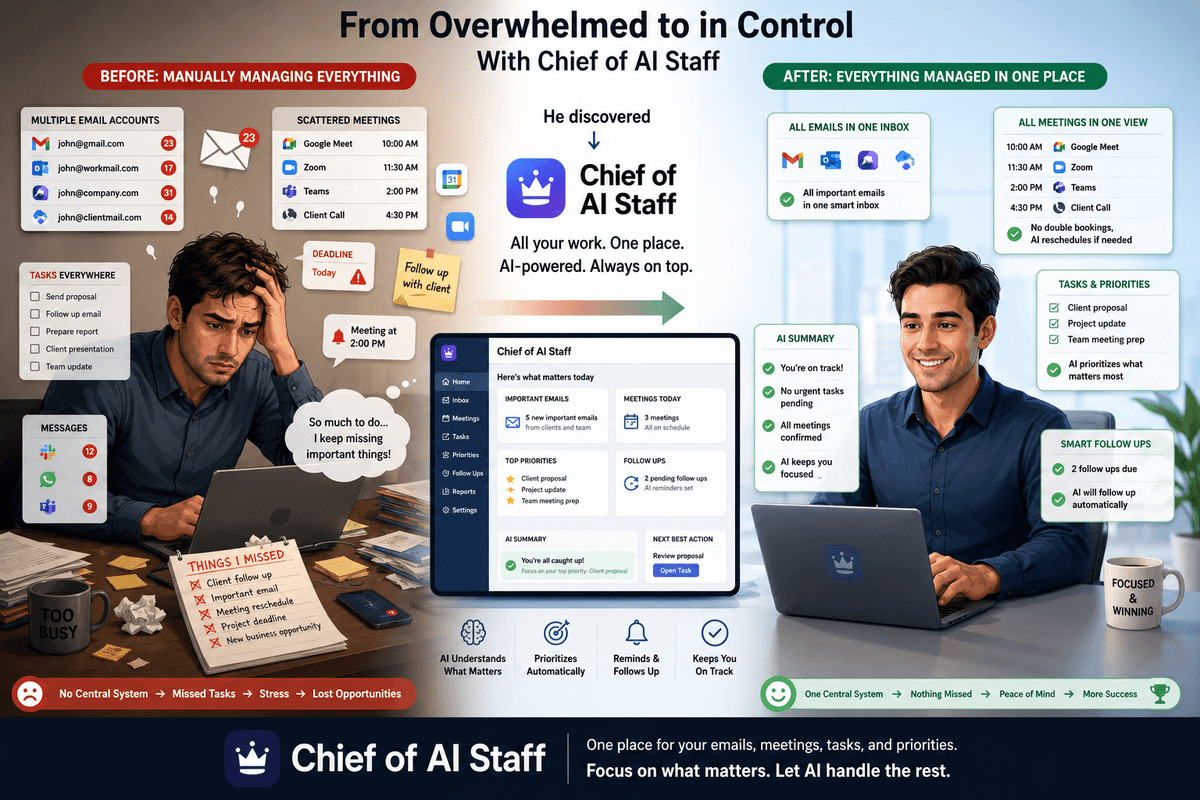
Most people who say they 'use AI' mean they paste things into ChatGPT. The person I built this for wanted something different. He wanted an AI that actually does the work — reads his emails, manages his calendar, captures his ideas, and sends him a structured briefing every morning before he starts his day. No copy-paste. No prompting from scratch. Just an agent running in the background, doing the coordination work so he can focus on high-value decisions. This is how I built it.
The Problem: A High-Output Professional Drowning in Coordination Work
A real estate professional with ADD — high-output, high-vision, but coordination-heavy work was killing his momentum. He was managing multiple Gmail accounts (personal, business, investment), a packed Google Calendar, scattered tasks across notes and messages, and a mental load of follow-ups he was constantly worried about dropping.
He had tried every productivity app. None of them solved the real problem. The real problem wasn't organization — it was that every system required him to do the organizing. He needed something that would do it for him.
His exact words: 'I need a real AI agent system with actual functionality and tool-using capabilities — not just a chatbot.'
So that's what I built.
The Architecture: Four Agents, One System
The system has four main components working together: the Chief of Staff Agent (the brain), the Email Triage Agent (runs every 15 minutes in the background), the Daily Briefing Agent (fires on a cron schedule every morning), and the Visual Command Center (the Next.js dashboard where everything lives). Here's how they connect:
Next.js Dashboard (/chat, /email, /briefing, /settings)
         │
         ▼
  API Routes (/api/chat, /api/email, /api/briefing)
         │
         ▼
  OpenRouter → Claude Sonnet 4.6 (or free model)
         │
  Tool Calls → Gmail API, Google Calendar API
  Memory    → Mem0 REST API
  Tracing   → Langfuse
         │
         ▼
  Supabase PostgreSQL
  (emails, calendar events, tasks, goals,
   chat sessions, briefings, users)
         │
         ▼
  Supabase Edge Functions
  - Email sync cron (every 15 min)
  - Briefing cron (every 5 min check)
Agent 1: The Chief of Staff — 23 Real Tools
The core agent is an agentic loop built on OpenRouter — it calls Claude Sonnet 4.6 (or a free model for lighter tasks), decides if tools are needed, executes them, and loops up to 5 rounds before giving a final answer. The key word is 'executes.' Not simulates. Not pretends. Actually executes.
The agent has 23 real tools across six categories:
- Email tools — read inbox, get thread, send email, search emails across all connected accounts
- Calendar tools — list events, create event, delete event, check availability
- Task tools — create task, list tasks, update task status, delete task
- Goal tools — add weekly goal, list goals, update goal progress
- Memory tools — save fact to Mem0, recall facts from Mem0
- Search tool — internet search via Exa API when live information is needed
When the user types 'What do I have tomorrow?' — the agent calls the calendar tool, gets the real events, and replies. When he says 'Send a follow-up to the contractor about the renovation quote' — the agent searches his emails for the thread, drafts a reply in his tone, and sends it. No copy-paste. No tab-switching.
// Simplified agentic loop
async function runAgent(messages: Message[], userId: string) {
  let rounds = 0;
  const maxRounds = 5;

  while (rounds < maxRounds) {
    const response = await openrouter.chat({
      model: 'anthropic/claude-sonnet-4-6',
      messages,
      tools: ALL_23_TOOLS,
    });

    // No tool calls = final answer, stream it
    if (!response.tool_calls?.length) {
      return streamFinalAnswer(response.content);
    }

    // Execute every tool call in parallel
    const toolResults = await Promise.all(
      response.tool_calls.map(call => executeTool(call, userId))
    );

    messages = [...messages, response, ...toolResults];
    rounds++;
  }
}
Persistent Memory with Mem0 — The Agent Never Forgets
One of the biggest frustrations with AI tools is re-explaining context every single session. 'As I mentioned before...' followed by repeating the same background information is exhausting. Mem0 fixes this completely.
After every conversation turn, the agent saves relevant facts to Mem0 — preferences, decisions, key people, deal names, recurring instructions. At the start of every new turn, it retrieves the most relevant memories and injects them into the system prompt. The user told the agent his preferred meeting times once. It remembered. He mentioned a specific deal name in passing. It remembered. He said 'I don't like back-to-back meetings' — it remembered and now factors that into scheduling suggestions.
// At the start of every turn — recall relevant memories
const memories = await mem0.search({
  query: latestUserMessage,
  userId: user.id,
  limit: 10,
});

// Inject into system prompt
const systemPrompt = `
You are the Chief of Staff for ${user.name}.

What you remember about them:
${memories.map(m => `- ${m.memory}`).join('\n')}

Always speak in their voice. Be direct. No filler.
`;

// After every turn — save new facts
await mem0.add({
  messages: [{ role: 'user', content: userMessage }],
  userId: user.id,
});
Agent 2: Email Triage — Runs Every 15 Minutes Automatically
This is where the real automation lives. No one has to ask for emails to be organized — it just happens. Every 15 minutes, a Supabase Edge Function fires via pg_cron, fetches new emails from all connected accounts, and runs each one through an AI triage pipeline.
Each email gets classified into one of five categories: To-Do (needs action), FYI (informational), Promotion (marketing), Sales (outreach), or Archive (can be ignored). But classification is just the start. For every email, the AI also generates:
- A one-sentence summary of what the email is actually about
- A decision: what action is needed?
- An urgency reason: why does this need attention now (or why it doesn't)
- A needs_reply flag: true/false
- A full draft reply — editable and sendable directly from the dashboard
Ten emails are processed in parallel per sync run. Opening the email inbox in the dashboard, instead of 47 unread emails, you see a clean, categorized, AI-summarized list. The ones that need replies already have drafts waiting. Review, edit if needed, and hit send.
// Email triage pipeline — runs per email
async function triageEmail(email: RawEmail, userId: string) {
  const result = await openrouter.chat({
    model: 'openai/gpt-4o-mini', // cheaper model for batch work
    messages: [{
      role: 'user',
      content: `Triage this email:

From: ${email.from}
Subject: ${email.subject}
Body: ${email.body}

Return JSON with:
- category: To-Do | FYI | Promotion | Sales | Archive
- summary: one sentence
- decision: what to do
- urgency_reason: why urgent or not
- needs_reply: true/false
- draft_reply: full reply if needs_reply is true`
    }],
    response_format: { type: 'json_object' }
  });

  await supabase.from('emails').upsert({
    ...email,
    user_id: userId,
    ...JSON.parse(result.content),
  });
}
Agent 3: Daily Briefing — AI Morning Report Pushed to Telegram
Every morning at the configured time, a Supabase Edge Function checks if a briefing is due. If yes, it generates a full morning briefing using live data from the system and pushes it to Telegram.
The briefing covers everything he needs to know before his first meeting: today's calendar events with times and details, his top 3 priorities for the day, quick wins he can knock out in under 15 minutes, weekly goals and their current progress, an email snapshot (how many unread, how many need replies, top urgent items), and a focus score — an AI judgment of whether his day is overloaded or well-structured.
It arrives in Telegram as a cleanly formatted HTML message with emoji sections. He reads it on his phone before getting out of bed. By the time he sits at his desk, he already knows what matters today.
async function generateBriefing(userId: string) {
  // Pull live data from DB
  const [events, goals, quickWins, emails] = await Promise.all([
    getCalendarEventsToday(userId),
    getWeeklyGoals(userId),
    getQuickWins(userId),
    getEmailSnapshot(userId),
  ]);

  // Generate with AI
  const briefing = await openrouter.chat({
    model: 'anthropic/claude-sonnet-4-6',
    messages: [{
      role: 'user',
      content: buildBriefingPrompt({ events, goals, quickWins, emails })
    }]
  });

  // Save to DB
  await supabase.from('daily_briefings').insert({
    user_id: userId,
    content: briefing.content,
    generated_at: new Date(),
  });

  // Push to Telegram
  await sendTelegram(user.telegram_chat_id, briefing.content);
}
The Visual Command Center — Everything in One Dashboard
All of this runs behind a clean Next.js dashboard. One URL shows everything: live chat with the Chief of Staff (streaming, word-by-word, with tool call indicators so you can see when the agent is reading your email), the email inbox with category tabs and draft reply panel, daily briefing with interactive toggles for quick wins and goals, weekly goals tracker, full chat history with session management, and a Mem0 memory panel where you can see and delete what the agent has remembered.
The settings page lets him connect new Google accounts, configure his Telegram bot, set his preferred briefing time, and switch between the free model and Claude Sonnet 4.6. Everything is configurable without touching code.
Telegram Bot — Same Agent, Zero Dashboard Required
You don't always want to open a browser. The Telegram bot runs the exact same Chief of Staff agent loop — same 23 tools, same Mem0 memory, same session history stored in Supabase. Message the agent from your phone on the go, ask it to check who emailed you this morning, or tell it to block off Friday afternoon on your calendar. The agent does it. Typing indicator shows while it's thinking. Reply comes back in seconds.
Observability: Every AI Turn Traced with Langfuse
Running AI in production without observability is flying blind. Every single agent turn in this system is traced end-to-end with Langfuse. A trace opens when the user sends a message, a span is created for every tool call (with the exact input and output), the LLM call is logged with model, tokens, latency, and the full prompt, and the trace closes with the final response. If the agent behaves unexpectedly, I can open Langfuse and see exactly what happened — which tool it called, what it returned, how the model responded.
// Langfuse trace wraps every agent turn
const trace = langfuse.trace({
  name: 'chief-of-staff-turn',
  userId: user.email,
  metadata: { model: selectedModel },
});

// Each tool call gets its own span
const toolSpan = trace.span({
  name: `tool:${toolCall.name}`,
  input: toolCall.arguments,
});
const result = await executeTool(toolCall);
toolSpan.end({ output: result });

// LLM generation span
const llmSpan = trace.generation({
  name: 'llm-generation',
  model: selectedModel,
  input: messages,
  output: response.content,
  usage: response.usage,
});
What's Running Under the Hood — Full Tech Stack
- Next.js 16 (App Router) — dashboard frontend and API routes on Vercel
- Supabase PostgreSQL — all data: users, emails, calendar events, tasks, goals, chat sessions, briefings
- Supabase Edge Functions + pg_cron — email triage every 15 min, briefing check every 5 min
- OpenRouter — LLM routing (Claude Sonnet 4.6 for complex tasks, cheaper models for batch triage)
- Gmail API (multiple accounts) — read, send, list via Google OAuth
- Google Calendar API — full read + write + delete access
- Mem0 REST API — persistent cross-session long-term memory
- Langfuse — end-to-end AI observability and tracing
- Telegram Bot API — full agentic bot with same tools and session history
- TypeScript — strict types throughout
The Key Insight: Tools Are Everything
The thing that separates this from a chatbot is tool-calling. When Claude has access to 23 real tools that execute against real APIs, it stops being a conversation partner and becomes an agent. The difference is profound. A chatbot can draft an email. An agent can draft it, find the right thread, and send it — without you leaving the chat window.
The other insight is memory. Most AI tools are stateless — every session starts blank. Mem0 changes the entire dynamic. The agent knows your preferences, remembers the deals you're working on, recalls what you decided last Tuesday. It feels less like a tool and more like someone who works with you every day.
Want Something Like This?
If you're a founder, executive, or professional spending hours a week on email management, scheduling, and task coordination — this is exactly the kind of system I build. Every piece is custom to your workflows, your accounts, and your communication style. The agent learns how you work and gets better over time. Reach out via the contact page and let's talk about what your version of this looks like.
Key Insight
The gap between a chatbot and a real AI agent is tool-calling. Once an agent can read your emails, write to your calendar, and remember what you told it last week — it stops being a toy and starts being infrastructure.